

We save virtually everything in our devices nowadays in the digital world. The paperwork, images, videos, PDF files, notes, and downloads gradually accumulate over time. In the absence of an appropriate system to organize digital files, searching a single file may be irritating and hectic. That is why learning how to organize your digital files has become a vital skill to all people in the current digital world.
Organize your digital files no matter whether you have a smartphone, laptop, tablet or a desktop computer and feel less stressed, save time and work more effectively. This tutorial takes you through simple and useful steps to systematize your files on any computer, even without any technical knowledge or other advanced equipment.
This paper dwells on concise processes, precautionary measures, and simple ways that any individual can adhere to.
The Significance of Organizing Digital Files
It is better to know why it is important to put the files in order before learning the techniques.
When your computer data has not been sorted out:
Documents that are important become difficult to locate.
Redundant files consume storage space.
Machines become sluggish and congested.
Lack of productivity comes about of disorientation.
On the other hand, when your computer files are neat:
You are able to get the information fast.
Your computer hard disk remains tidy.
There is no loss of files and files are manageable.
Digital daily chores are made easier.
Arranging files is not a matter of excellence. It consists in developing a system of your own.
Form Simple and Easy to Find Folder Structures
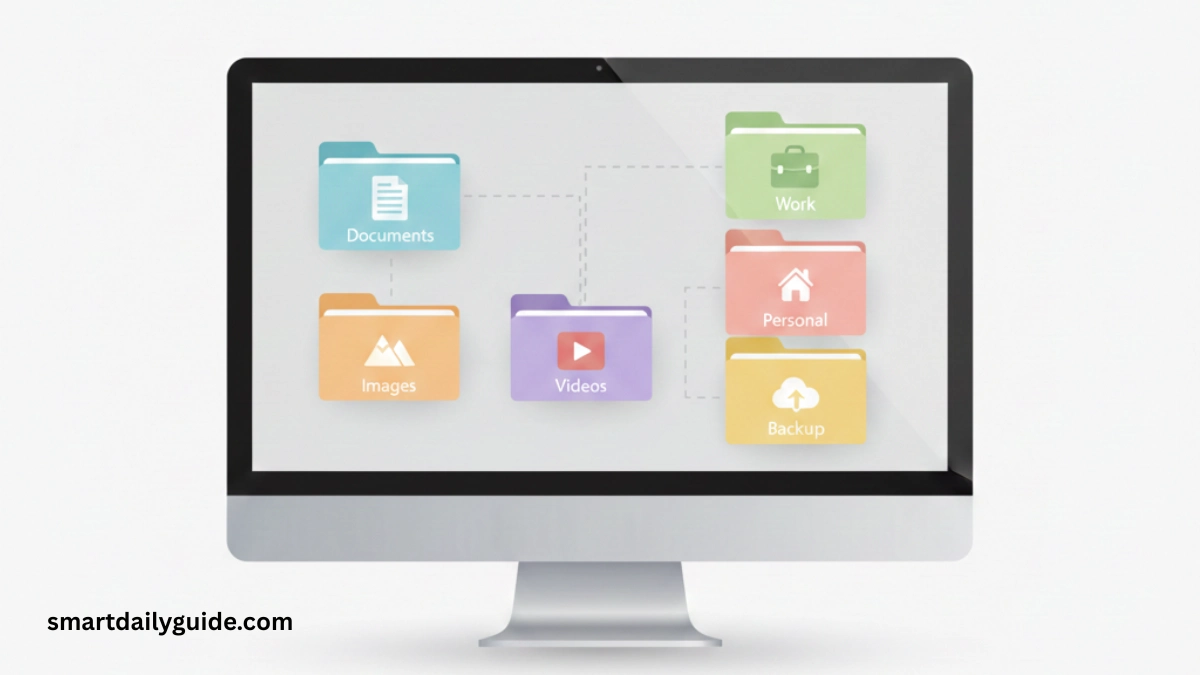
The first and the most significant step in the process of arranging digital files is the establishment of clean and clear folders system.
Rather than storing all your files in a single location, separate your files into distinct folders depending on the reason.
How to Do It
Begin with wide groups including:
Documents
Photos
Videos
Work Files
Personal Files
Within the main folders, subfolders are to be created. For example:
Documents → IDs, Forms, Letters
Photos → Family, Travel, Events
This system is useful in making your brain perceive the position of each file. You are always ready to find something when you habitually arrange your digital files in folders.
Name Files Properly to Be in a Better State
Significant and succinct file names have a significant contribution in the effective organization of digital files. The naming of the files such as file123 or newdoc is random and causes confusion.
Best Practice in File Naming
Use simple and explanatory words.
Use dates where necessary (YYYY-MM-DD format)
Avoid special characters
Name keeping should be brief but relevant
Example:
Instead of document.pdf
Use ElectricityBillMarch_2026.pdf
Clear naming is compatible with all devices and can be used to find your files quicker by using the search features.
Erase Superfluous and Extraneous Files
Clutter builds up silently. Many people keep files they no longer need, which makes it harder to organize digital files properly.
What to Remove
Old downloads
Duplicate photos
Unused documents
Temporary files
Put aside some time once in a month to go through your files. Removing redundant information not only frees up space, but also leaves your folders organized and very manageable.
A clean digital environment makes it easier to organize digital files long-term.
Organize Digital Files Separately on Each Device
Each device has a behavior of storage. All the files are not stored in the same way and thus, they require a separate consideration of smartphones, laptops, and tablets.
On Mobile Devices
Play default folders (Images, Videos, Documents)
Drag pictures to other folder
Clean up unused media on a regular basis
On Computers
Do not put all your stuff on the desktop
Use Folders in Documents and Downloads
Keep system files untouched
By managing each device properly, you ensure that your effort to organize digital files stays effective everywhere.
Get Organized with Cloud Storage
The use of cloud storage is useful, however, when it is applied appropriately. Bringing it all to the net in a disorganized manner can bring about digital chaos.
Smarter Cloud Organization Guide
Before uploading files create folders
Separate work and personal files
Name the same devices using similar folders
Do not store files that are not necessary
With an organized cloud storage, it will be an effective tool to have your digital files safely accessed on any device.
For cloud storage best practices, check Google Drive Help.
Rank by File Type and Use
Another effective method to organize digital files is grouping them by type and use.
Common File Categories
Text documents (PDF, DOC)
Images (JPG, PNG)
Videos (MP4, MOV)
Audio files
Archives
On each category, organize files according to the intent like work, study or personal. The approach creates less confusion and increases clarity.
Keep a Structured File System
It is not sufficient to organize files only once. The key in ensuring that digital files are organized is consistency.
Easy Habits to Follow
Save new files at the appropriate folder at once
Renaming of files during downloads
Wipe out downloads one time a week
Review folders monthly
These little practices help avoid the re-accumulation of clutter. A few minutes of maintenance helps you organize digital files without stress.
Top Things Not to Do When Sorting Digital Files
Despite the intentions, it is possible to make some errors, and they can complicate file management.
Avoid:
Creating too many folders
Using unclear folder names
Confusing personal and vital papers
Neglecting to organize files for long periods
It is always best to keep things simple as opposed to complex systems.
Advantages of Digital Files That Are Well-Organized
When you successfully organize digital files, you experience several long-term benefits:
Quick availability of information
Reduced digital stress
Better device performance
Improved focus and clarity
Safer file storage
These benefits apply to students, professionals, and everyday users alike.
For file organization software options, see Microsoft Support – Organize Files.
Final Thoughts
Learning how to organize digital files on any device is a valuable digital habit. It does not involve complex devices and skills. One can create a clean and manageable digital space with the help of simple folder structures, clear file names, and commonplace maintenance.
It is not perfection but expediency. Begin simple, be consistent and keep on enhancing your system. In due course, sorting of digital files will be a common occurrence in your day-to-day digital experience.